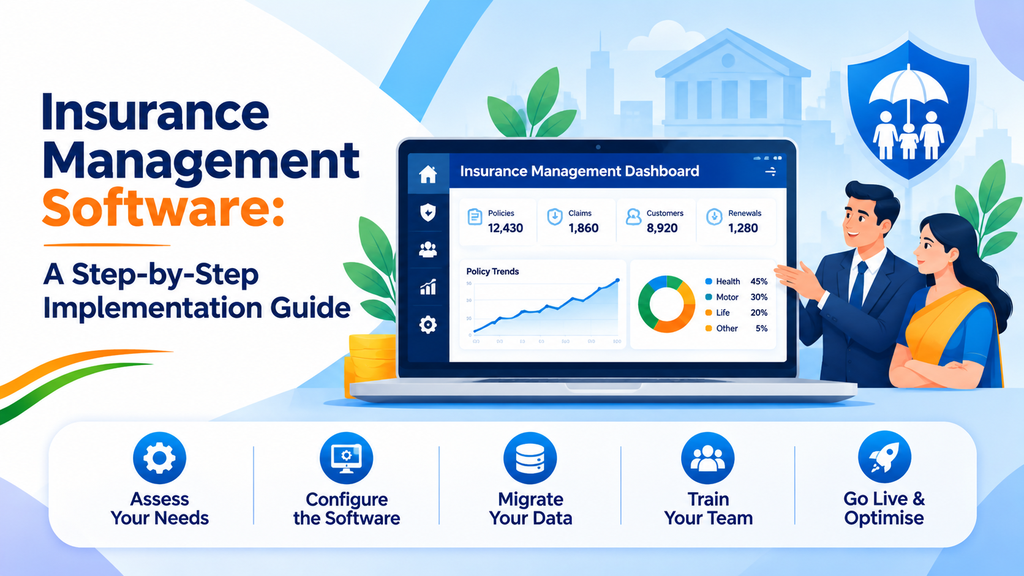
Buying insurance software is only half the job. The other half is putting it to work: setting it up, moving your teams onto it, and making sure it supports the way your business actually sells and services policies. Many projects struggle not because the software is weak, but because the rollout was rushed or poorly planned.
This guide walks through the implementation of Insurance Management Software in clear steps, from defining your needs to going live. It is written for banks, insurance distributors, and agencies that want a smooth rollout and a system their teams will genuinely use.
Step 1: Define What You Want the Software to Do
Start with your own business, not with the software. Write down the processes that cause the most delay or manual effort today. For an insurance distributor, these usually include onboarding agents, entering new policies, collecting premiums, handling renewals, and producing reports.
It also helps to decide which types of business you need to cover. Are you distributing life insurance, non-life insurance, or both? Do you also handle government-backed schemes? A clear scope prevents you from buying more than you need, or discovering too late that something important is missing.
Step 2: Map the Software to Your Needs
Once the scope is clear, match each need to a capability. Insurance distribution software is built to automate the business processes of the insurance distribution industry, and different solutions cover different parts of the workflow.
In Winsoft’s insurance range, for example:
- SmartInsurance provides a comprehensive solution for life and non-life insurance distribution, with a seamless back office for managing processing, a user-friendly front office, and an exhaustive reporting feature.
- AGENT is an automated general and life insurance training tracker system that lets distributors onboard their relationship managers (RMs) digitally.
- AGILE is an automated general and life insurance enrolment system, covering the journey from entering a new policy of an insured person to automating the yearly premium payment.
- SmartPM Scheme handles the onboarding and renewal of customers under the Pradhan Mantri Jeevan Jyoti Bima Yojana (PMJJBY) and Pradhan Mantri Suraksha Bima Yojana (PMSBY).
Use a simple table with your needs on one side and the matching solution on the other. Any gap you find at this stage is much cheaper to address now than after go-live.
Step 3: Involve the Right People Early
Insurance operations touch many teams. Operations staff process policies, sales teams and RMs work with customers, compliance reviews controls and reports, and IT handles integration. If any of these groups is brought in late, you risk surprises.
Form a small project team with a representative from each area. Give them clear roles, and agree on who makes the final decisions. Early involvement also builds ownership, which makes the later training and adoption stages much easier.
Step 4: Plan Your Integrations
Insurance software rarely works alone. It usually needs to exchange information with other systems, such as insurance company platforms or core banking systems. Decide early what needs to connect and how.
The SmartPM Scheme solution gives a good picture of what to look for. It supports both file-based and API-based integration with insurance companies, integrates with core banking through APIs, and offers consumable APIs for digital journeys. When you evaluate any platform, ask the same questions: Which systems does it connect with? Are the connections API-based or file-based? Who will carry out the integration work?
Integration planning is also the stage where extra technical capacity is often needed. Many institutions use IT Staff Augmentation to add skilled technical resources for the integration period, without committing to long-term hiring.
Step 5: Set Up Roles, Controls, and Approval Flows
Insurance processing involves customer data and money, so controls matter. Before the system goes live, decide who can see what, who can approve what, and how exceptions are handled.
Look for features that support this. SmartPM Scheme, for instance, offers maker and checker functionality as per each bank’s requirement. Your own approval structure may be different, so confirm that the platform can be configured to match it. Setting these rules up during implementation is far easier than adding them later.
Step 6: Prepare Your Data and Processes
Moving to a new system means moving information. Review the data you already hold on agents, policies, customers, and premiums. Check it for gaps and errors, and decide what will be carried over.
At the same time, review your processes. A new system is a good moment to remove steps that exist only because of old limitations. For example, if agent training is tracked on paper, digital onboarding through a tool like AGENT can replace that entire process. If renewals are followed up by hand, automated premium payment handling can replace it. Simplify first, then configure the software around the improved process.
Step 7: Train Your People
Even the best software fails if people avoid using it. Plan training for each group according to how they will use the system.
- Operations staff need to learn the back office, including processing and reports.
- Agents, brokers, and RMs need to be comfortable with the front office and onboarding tools.
- Managers need to read dashboards and reports with confidence.
Keep training practical. Use real examples from your own business, and give people a chance to practice before go-live. A user-friendly front office, such as the one offered in SmartInsurance, helps reduce the learning curve, but training is still essential.
Step 8: Test Before You Go Live
Testing is where you find problems while they are still cheap to fix. Run realistic scenarios from start to finish: onboard an agent, enter a new policy, process a premium, handle a renewal, and generate the reports your team relies on.
If you are handling government schemes, test those flows separately. For PMJJBY and PMSBY, this includes onboarding, recurring premium, and account closure, as well as reversal of premium amounts for rejected requests. Involve the people who will use the system daily, because they are the ones most likely to spot practical issues.
Step 9: Go Live in a Controlled Way
A controlled launch reduces risk. Many organizations begin with one team, one branch, or one product line, confirm that everything works, and then expand. This approach lets you fix issues early without affecting the entire business.
During this period, keep a clear channel for questions and problems. Quick answers in the first weeks build confidence and encourage adoption.
Step 10: Monitor, Measure, and Improve
Implementation does not end at go-live. Use the reporting and dashboard features to see how the system is performing. Track simple measures such as how quickly new agents are onboarded, how many policies are processed, and whether renewals are on time.
Collect feedback from users and adjust. Small improvements, such as changing a report or simplifying a step, add up over time.
Common Mistakes to Avoid
- Starting without a clear scope. Vague goals lead to disappointment.
- Leaving integration until the end. Connections to other systems should be planned from the start.
- Skipping training. Staff who feel unprepared will fall back on old methods.
- Testing only the easy cases. Include exceptions, rejections, and renewals.
- Treating go-live as the finish line. The real benefit comes from continued use and improvement.
Fitting Implementation Into a Wider Strategy
Insurance software is often one piece of a larger modernization effort. Banks and distributors frequently run it alongside broader Digital Transformation Services, so that customer onboarding, digital channels, and back-office operations improve together. Institutions that distribute government schemes may also explore dedicated Government Insurance Scheme Software as part of the same plan.
Conclusion
A successful insurance software rollout depends on preparation more than technology. By defining your needs, matching them to the right solutions, involving the right people, planning integrations, setting controls, preparing data, training users, testing carefully, launching in stages, and reviewing results, you give the project the best chance to deliver real value.
Follow these steps in order, adapt them to your own organization, and treat implementation as the beginning of better insurance operations rather than the end of a purchase.